
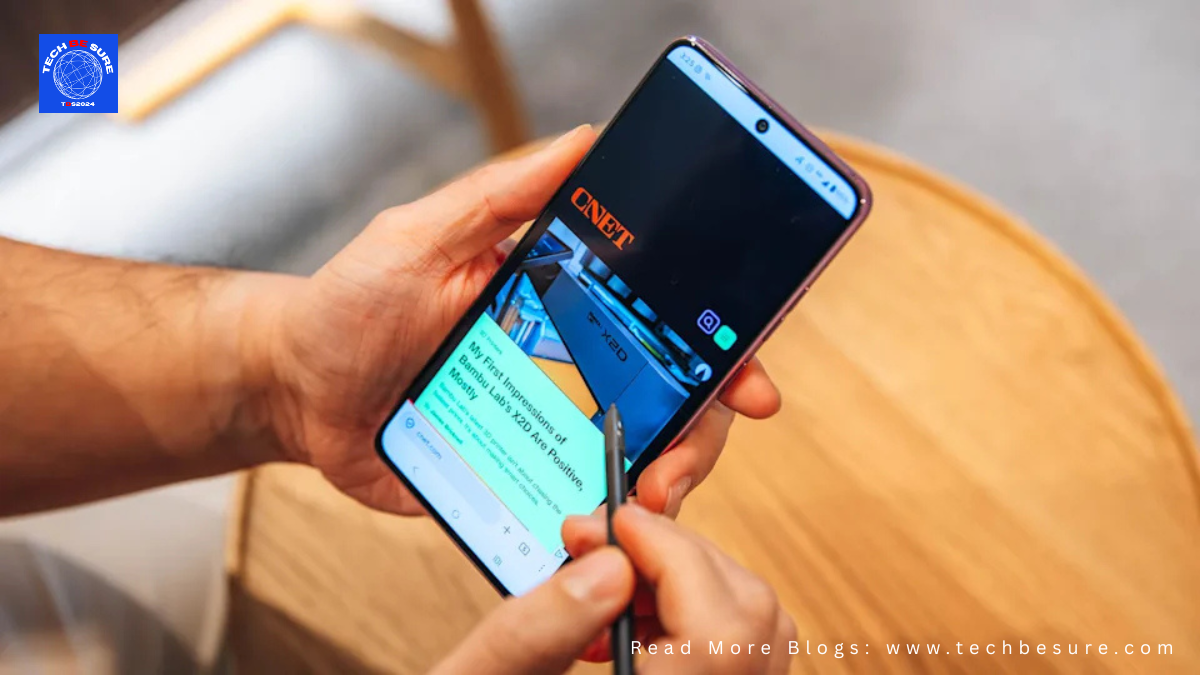
Motorola is back with its stylus-powered lineup, and this time the Motorola Moto G Stylus aims to refine rather than reinvent. Launched in early April and now available for purchase, the device sits comfortably in the budget-premium segment with a starting price of $499. But does it actually deliver something new, or is it just a minor upgrade? Let’s break it down in this human-touch, real-world review.
First Impressions: Clean, Practical, and Surprisingly Premium
Right out of the box, the Moto G Stylus (2026) keeps things minimal. You get a USB cable—and that’s it. No charger, no case. It’s a bit disappointing, especially when you’ll need to buy a 68W charger separately to unlock its full charging speed.
That said, the phone itself feels anything but cheap. The textured back panel is not only stylish but also practical—it resists fingerprints and offers a better grip than typical glossy finishes. Honestly, it feels good enough that you might skip using a case altogether.
The Stylus: Still the Star of the Show ✍️
The biggest highlight remains the built-in stylus, and yes—it still delivers.
Much like Samsung’s Galaxy Ultra series, Motorola integrates the stylus neatly into the phone. It comes with:
- A clicky top button (satisfying, by the way)
- A shortcut button to open stylus tools instantly
- Hover detection, giving you a cursor-like experience
Writing feels smooth and responsive. Whether you’re jotting down notes, editing screenshots, or multitasking, the stylus genuinely adds value. Features like palm rejection and pressure sensitivity make it feel natural—almost like writing on paper.
For users with larger fingers or even minor hand discomfort, this stylus can make daily interactions noticeably easier.
Performance: Reliable, But Not Groundbreaking
Under the hood, the Moto G Stylus (2026) runs on the Snapdragon 6 Gen 3 processor, paired with up to 8GB RAM.
In daily use:
- Apps open smoothly
- Multitasking feels stable
- Casual gaming runs fine
But let’s be clear—this is not a performance beast. It’s built for everyday reliability, not heavy gaming or intense workloads.
The upgrade to UFS 3.1 storage (from 2.2 last year) does help with faster app loading and file transfers, which is a welcome improvement.
Battery Life: Slight Boost, Solid Backup 🔋
Motorola bumped the battery slightly to 5,200mAh, and that translates to:
- A full day of usage comfortably
- Possibly stretching into a second day with moderate use
Charging is fast with 68W wired support, though you’ll need your own charger. There’s also 15W wireless charging, which is rare and appreciated in this price range.
Camera: Good Enough for Everyday Use 📸
The camera setup includes:
- 50MP main sensor
- 13MP ultrawide
- 32MP front camera
Photos in good lighting come out sharp with decent color accuracy. The ultrawide is useful, though not exceptional. Low-light performance is acceptable but not class-leading.
Selfie lovers will appreciate the 32MP front camera, which delivers clean and social-media-ready shots.
What’s Actually New This Year?
If you’re coming from the Moto G Stylus (2025), the upgrades are… modest:
- Added IP69 rating (along with IP68) for better durability
- Faster UFS 3.1 storage
- Slightly larger battery (+200mAh)
That’s about it. The core experience, especially the stylus, remains largely unchanged.
Price and Availability
- $499 – 8GB + 128GB
- $599.99 – 8GB + 256GB
Available via:
- Amazon, Best Buy, Motorola.com
- US carriers like AT&T, Cricket, Spectrum, and more
There’s also a bundle deal on Motorola’s website offering free Moto accessories with the 256GB variant, which adds some extra value.
Final Verdict: Should You Buy It?
The Motorola Moto G Stylus (2026) is not trying to shock anyone—it’s trying to refine a niche, and it does that well.
Buy it if:
- You love using a stylus for notes, editing, or productivity
- You want a balanced phone with solid battery life
- You prefer clean Android (Android 16 out of the box)
Skip it if:
- You already own the 2025 version
- You want flagship-level performance or camera quality
This phone proves that the stylus isn’t just a gimmick—it’s a genuinely useful tool. While the upgrades are incremental, the overall experience remains strong, practical, and uniquely satisfying in its category.